

GTA VI / GUIDEDISTRICT
GTA 6 Icons Explained: Map, HUD, Wanted and Vehicle Symbols
On this page
In GTA 6, pink means story, cyan means a waypoint you placed, and red means the police. The stars at the top right show how hard the police are chasing you, and the red icons under them show what the police know about you. This page explains each symbol on the screen and on the in-game map, in plain words.
Quick answer
- Stars (top right): your wanted level, up to six.
- Red icons under the stars: what the police have identified (clothes, car, weapon, face, partner, camera footage).
- Heart, lightning bolt, eye (top left): health, stamina and focus.
- Pink line on the minimap: the route to your target. Cyan: a waypoint you set yourself.
- Red area on the minimap: the zone the police are searching.
Wanted stars
The wanted level goes up to six stars. More lit stars means a stronger police response. The stars only show up after a crime has been seen or reported.
The stars also change how they look, depending on what the police are doing. Bloxodes says the in-game Help lists six states: Cops Responding, Suspect Unknown, In Pursuit, Visual Lost, Heat, and Heat & Suspect Unknown. GameRiv describes the look of each one: a hollow star when a crime is reported but nobody knows it was you, a solid white star when they chase you, a flashing star when they lost sight of you, and a dark red star when the chase is over but the area is still hot. We have only one source for those exact colours.
How to bring the stars down is on lose the police.
The red police icons
Under the stars, small red icons show what the police know. Each one stays until you deal with it. Four guides describe the same set.
- Camera: a security camera recorded the crime.
- Clothes hanger: they know your outfit. Change clothes out of sight.
- One person or a head: they know what you look like. Change hair, mask or glasses.
- Two people: they know Jason and Lucia are together. Split up.
- Car: they know your vehicle. Leave it or switch to another one.
- Gun: they linked your weapon to the crime. Put it away or drop it.
Health, stamina, focus and money
Your meters sit at the top left. They hide when nothing is happening and come back when a value changes or when you open the weapon wheel. Money shows at the top right with the weapon wheel open.
A small face icon also pops up when something you did moves your criminal profile, lighter for a good act and darker for a violent one. More on heat and criminal profile.
- Heart (pink bar): health.
- Lightning bolt: stamina. It drops when you sprint, swim or cycle.
- Eye (purple bar): focus, which slows time when you aim and helps you spot things.
- Lungs or O2 gauge: air left when you swim underwater or dive with a tank.
- Purple B: money in your BuckMe bank account. It is safe.
- Wallet or card icon: cash you carry. You lose it if you die or get arrested, so bank it. See bank account.
Minimap colours
The minimap looks like a phone GPS. By default it only shows while you drive or while a waypoint is active. Tap Down on the D-pad to bring it back for a moment, or switch to the always-on mode in display settings.
The police are no longer shown as single dots. During a chase the map flashes red and blue and paints the search area red: darker red at the crime scene, lighter red for the wider zone. Get out of the red to start losing them.
- Pink line: the GPS route. Pink dots: story targets.
- Cyan dot: a waypoint you placed yourself.
- Green dot: the other main character when Jason and Lucia are together.
- White dots: other racers during a race.
- Arrow in a circle: you.
Icons on the pause map
On the full map, mission icons use a simple code. PowerPyx and GamerTweak both describe it.
Shops and services only appear once you have uncovered that part of the map. A gas station, for example, shows as a blue pump. If the map looks empty, see how to reveal the full map. Bloxodes adds that the map has an Index that sorts places into groups such as Story, Robberies, Activities, Vehicles, Weapons and Food & Drink, and marks a new discovery with an orange diamond. We have not found a second source for the Index details yet.
Our own interactive map uses its own icons. Its legend and filters are explained on find places on the map.
- Pink icon with black letters: a main story mission.
- Black icon with pink letters: an optional mission.
- Purple icon: a small side task.
- Pink storybook: the list of story missions you can start now.
Vehicle symbols
- Red car icon under the stars: the police know your vehicle.
- Fuel gauge: it sits above the minimap. Turn it on in the UI settings, then tap Down on the D-pad to see it. Two guides say it turns yellow when you are low. See fuel.
- Tracker and lock info: these are not on the HUD. Scan the car with the WAiNK app to see them.
- Vehicle name: a setting called Vehicle name and status shows what you are driving (one guide, Bloxodes).
Confirmed, reported, unknown
- Confirmed by Rockstar: no official icon legend has been published outside the game.
- Reported (Beebom, GameRiv, All Things How, Bloxodes): six stars, the red police icons and how to clear them, the heart, bolt and eye meters, the purple B.
- Reported (All Things How, TechWiser, GTA BOOM): minimap colours, no police dots, the red search area.
- Reported (PowerPyx, GamerTweak): the colours of mission icons.
- Reported by one source only: the exact look of each star state (GameRiv), the map Index groups and the Vehicle name setting (Bloxodes).
- Unknown: a complete list of every shop and activity icon. Not yet verified by us in the game.
Questions you might have
How many wanted stars are there in GTA 6?
Six, according to several guides. GTA 5 had five.
What do the red icons under the stars mean?
They show what the police know about you: your clothes, your car, your weapon, your face, your partner or camera footage. Clear each one to cool things down.
What does the pink line on the minimap mean?
It is the GPS route to your current target. Story targets are pink, and a waypoint you set yourself is cyan.
Why can't I see the police on the minimap?
GTA 6 does not show each officer as a dot. It shows a red search area instead, so you have to look at the road.
What is the purple B icon?
It is your BuckMe bank balance. Money there is safe if you die or get arrested, unlike the cash you carry.
Sources
- Beebom — GTA 6 HUD and UI icons explained
- GameRiv — Every GTA 6 icon explained
- All Things How — GTA 6 HUD icons and meters explained
- All Things How — GTA 6 mini-map and police chases
- Bloxodes — GTA 6 HUD icons explained
- TechWiser — GTA 6 mini-map and police chases
- GTA BOOM — GTA 6 minimap
- PowerPyx — GTA 6 mission list and how missions appear
- GamerTweak — GTA 6 main story missions
- PowerPyx — How to unfog the map fast in GTA 6
Useful next steps
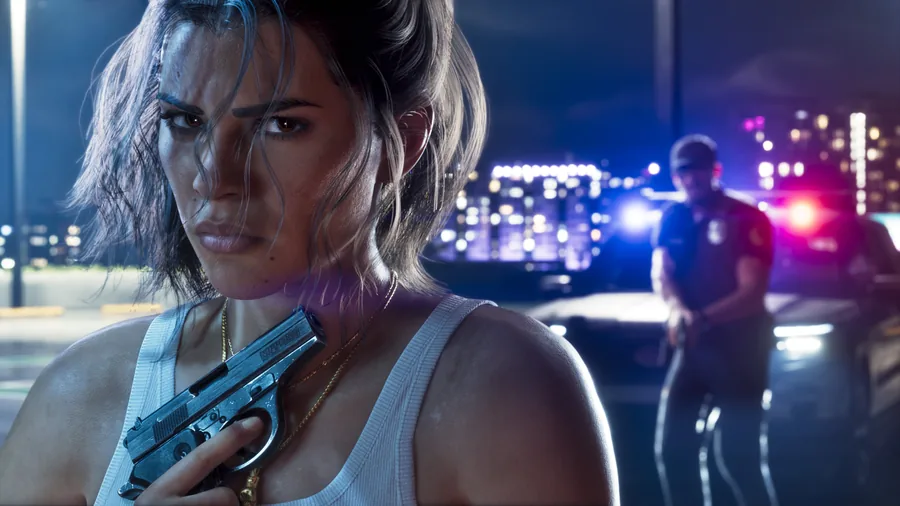
Heat in GTA 6 is what the police know about you: face, clothes, car, weapon, CCTV, partner. Clear each icon to lose them. The criminal profile is separate.

GTA 6 picture settings explained: HDR calibration, brightness, motion blur, depth of field and why there is no performance mode on PS5 or Xbox.
No new mission in GTA 6, or one stuck halfway? Check money, phone, the other character and the clock, then retry the checkpoint or reload a save.
Lose the cops in GTA 6: read the icons under your stars, leave the search area, change outfit and car, holster your gun and split up. Six stars explained.
The GTA 6 map starts covered in fog. It clears zone by zone as you travel. The fastest way is to fly a crop duster over it, from Chapter 1.
Find places with text, categories and region groups, and understand why a filter can hide a saved location.