

GTA VI / GUIDEDISTRICT
Find places on the map
On this page
When a place seems missing, first separate three things: the search text, the active filters and what the map chooses to label. The list is the easiest place to check the actual matches.
Search with a useful fragment
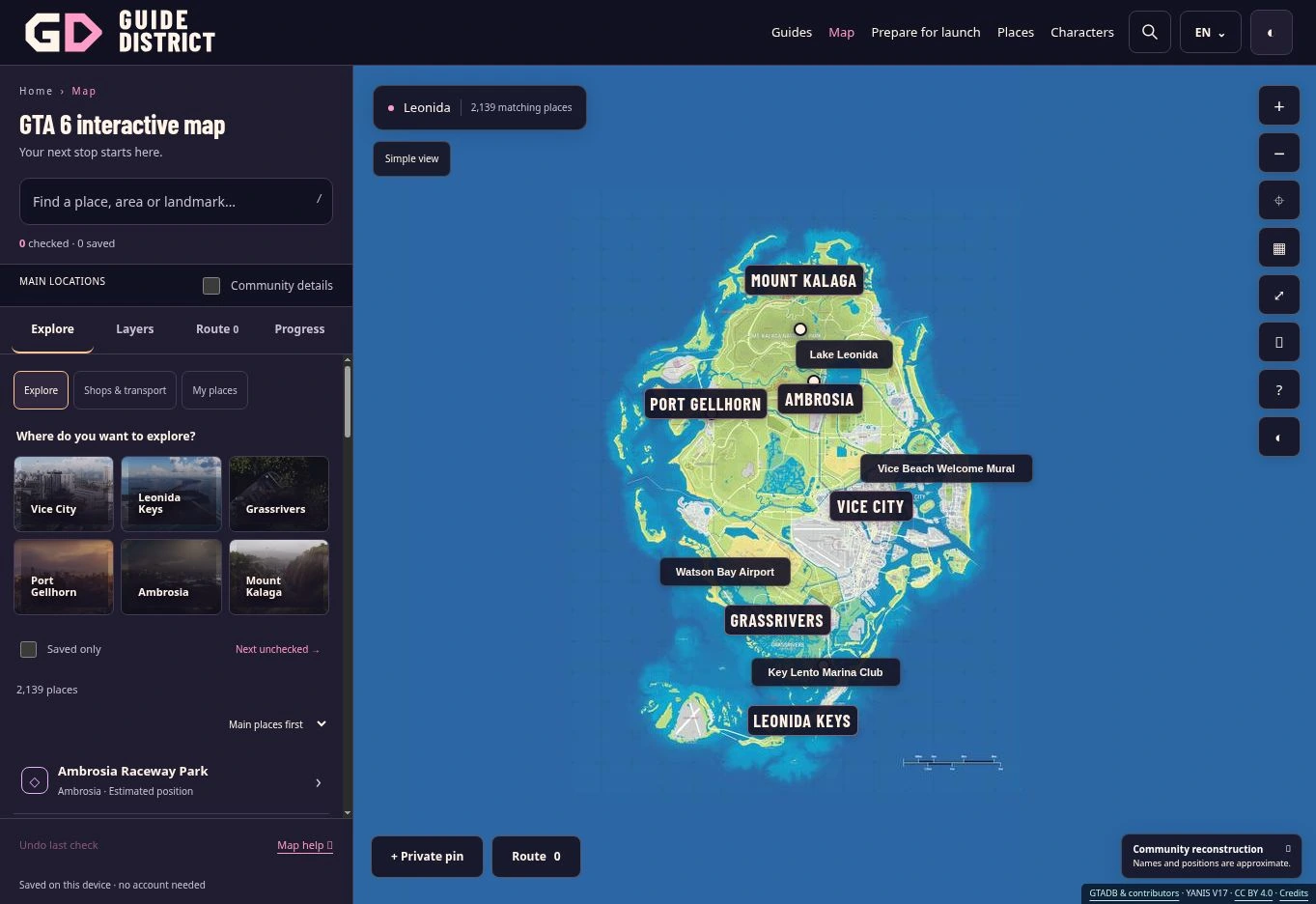
Try “Lake Leonida” or just “Leonida”. Search ignores letter case, accents and apostrophes. With several words, every word must appear somewhere in the searchable name, address or proposed real-world match; the words do not need to form one exact phrase. Private pin names are searchable too.
The original catalogue label is also kept for search, so an English generic label may still work on a translated page. Do not search the text of your private note: notes are not part of the place search. Use a clear private pin name for something you want to find later.
Combine categories without losing the area
In Filters, choose Transport and Nature & countryside, then select Ambrosia under Community area. A place may belong to either category, but it must also match the selected area and any search text. Adding Saved only narrows this further to your favourites; it does not reveal every saved place across the map.
Show all clears the category selection only. Reset filters also clears search, area, saved-only, checked, named and visible-area restrictions. The numbers beside categories describe the current catalogue plus your private pins, not the size of the fully filtered result set.
Understand grouped areas
The six main regions gather several community area labels. Vice City includes Vice Beach; Leonida Keys includes Key Lento; Mount Kalaga includes Watson Bay. These are the site’s browsing groups, not a claim about exact official borders. Choosing an alias from the area selector can therefore include other areas in the same group.
Named places only keeps proposed community names and your private pins. It does not certify a name or exclude every uncertain entry. See how the labels and estimates work.
Recover a result that seems hidden
Turn off Only this visible map area if a place lies off screen: this option updates the list whenever you move the map. Also check Hide checked places and Saved only. If you still cannot find it, use Reset filters and search one distinctive word.
The simplified drawing can omit an unlabelled point even when the list contains it. Enable Community details or open the result directly. Route markers can remain visible despite filters, so use the result count and list to judge your search.
Choose evidence and spoiler settings
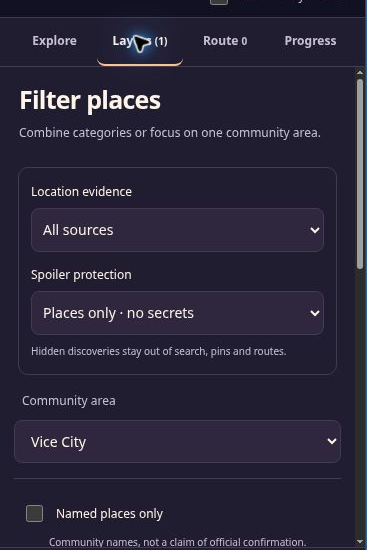
Layers separates community estimates from places tested in the game. A filter with no tested discoveries can correctly return no results. It does not mean that the game contains no such places. Collections and additional layers appear only when published records exist.
Spoiler protection has three levels: places only, discoveries without story, and everything. Hidden discoveries stay out of search, pins, category counts and route names. A shared link never opts you into story spoilers. You can change the setting yourself in Layers.