GTA VI / GUIDEDISTRICT
Website map problems
On this page
Start with the symptom you can see. A missing result, a failed catalogue download and a storage warning need different fixes. Protect any unsaved notes before reloading; do not clear browser data as your first step.
Places are missing, but the page works
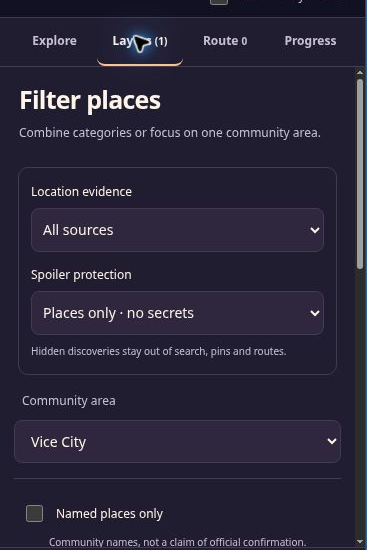
Use Reset filters, then search a short part of the name. Saved only, Hide checked places or Only this visible map area can remove a perfectly valid result. Moving the map changes the list when the visible-area filter is enabled. The filter guide explains how to narrow the results again.
If the list contains the place but the overview has no label, open the list result or enable Community details. Labels are limited by zoom and space. A route marker may remain visible even when that place no longer matches your filters.
The background or catalogue will not load
If there is no unsaved-storage warning, check your connection and reload once. Use Try again if offered. A loaded list can still open place cards when the background image is missing. If the catalogue has failed, the empty list cannot provide those entries.
If the problem persists, note the page address, language, browser and whether the list or only the background failed. These details make a correction file more useful than “the map is broken”.
Changes are only in memory
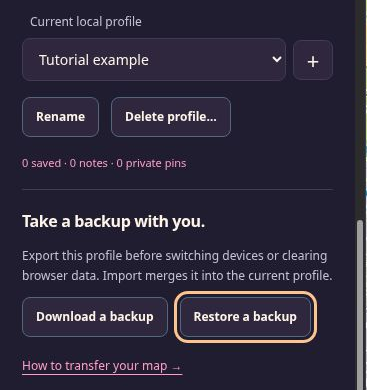
Keep the page open. Go to My progress and Download a backup before reloading, changing profiles or leaving. This saves the current in-memory profile to a file when browser storage cannot retain it. Follow the restore steps once you have a usable destination.
If stored data cannot be read and editing is protected, use Download stored data instead. Preserve the raw recovery file unchanged. It is not a normal backup and Restore a backup cannot import it directly. Do not erase the unreadable browser data first.
Another tab changed the map
Editing pauses to avoid overwriting changes from another tab. Keep any unsaved work by downloading a normal backup first if needed, then reload the affected page to read the stored version. Continue editing in one map tab while resolving the conflict.
Import fails or a profile appears empty
Check that you selected a map JSON backup, not a correction text file, game save or raw recovery copy. A merge exceeding the route limit can fail even when each separate file is valid; import into a new empty profile to inspect it without that combined route.
An empty profile may mean you opened a different browser, browser profile, device or site address. Return to the original environment and export there. If its data was already removed, use an earlier backup; the site has no cloud profile to fetch.