

GTA VI / GUIDEDISTRICT
Game information
On this page
Looking for a release detail, a character introduction or a clear explanation of what the map shows? Start here. This page brings together the game information already available on GuideDistrict and helps you choose the right next page without opening every category.

If you are getting ready to play
Use release date and platforms to check which console announcement applies to you. Go to download before launch for the different PS5 and Xbox schedules. The download calculator is useful once you have a size and a realistic connection speed.
These pages answer different questions. A release date will not tell you how long your connection needs, and a download estimate will not confirm when your purchase unlocks. The preparation checklist brings the practical tasks together.
If you want to understand the people and places
The character directory introduces the central figures and points you towards the individual Jason Duval and Lucia Caminos dossiers. Use those pages for their backgrounds and connections rather than treating a character’s appearance in a clip as a complete biography.
The Leonida region guides explain the areas Rockstar has presented. Follow their map links to explore the community reconstruction. A familiar region name and a precise point on a fan map do not carry the same level of confirmation.

If you are checking a new claim
Start with official announcements to find the relevant source, or trailers and screenshots to understand a visual reference. Check whether a claim comes from an announcement, an observation or a prediction before building a plan around it.
Topics without verified steps remain marked as upcoming. A category in the menu is a place to organise future information, not evidence that a particular activity or feature exists. You can still use the interactive map and its personal notes while those guides are being prepared.
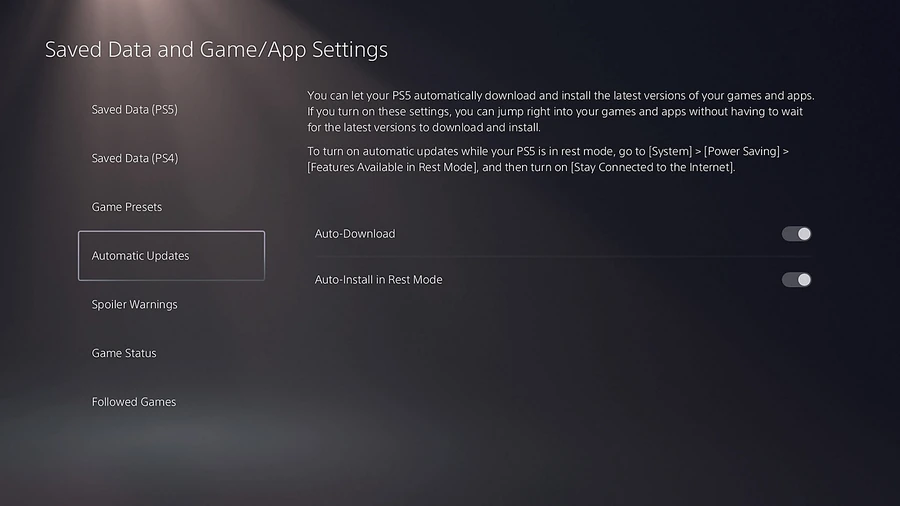
GTA 6 preload times for PS5 and Xbox, automatic download checks, storage preparation and what to do if the download has not appeared.

Find GTA 6 station previews and official listening links, with radio, soundtrack and score kept distinct.

Explore GTA 6 trailers and screenshots with a clear way to identify scenes, compare images and avoid confusing observations with confirmed features.
The announced GTA 6 release date and console platforms, with the difference between release, preloading and an unannounced PC schedule.
Compare GTA 6 Standard and Ultimate, preorder bonuses, the code-in-box version and regional code restrictions before buying.
Find recent official GTA 6 announcements, their practical meaning and the source behind a release, preload or media update.